A free, open-source Gaussian splat editor that runs in a browser tab just handed the keyboard to an AI agent — with no server, no bridge, and no “run arbitrary JavaScript” escape hatch. SuperSplat 3.7.0 shipped on October 26, 2026, and the headline is a set of native WebMCP tools: your AI assistant can now inspect a splat scene, select regions, delete, transform and recolor splats, move the camera and export the result, all inside the same tab you are already looking at. It is small, it is MIT-licensed, and it points at where splat editing is going.
The Story
SuperSplat is PlayCanvas’s editor for inspecting, cleaning, optimizing and publishing 3D Gaussian splats. It runs in the browser — nothing to download or install — and lives at superspl.at/editor. It has quietly become one of the most-used free tools in the splat community because the alternative is usually a heavy desktop pipeline.
Version 3.7.0 adds three things that matter, per the official release notes: a typed editor API built over serialized selection commands, native WebMCP tools for the editor, and command validation that rejects invalid edits. There is also a smaller quality-of-life batch — copy/paste on the transform and color panels, and a new radial sort mode (now the default, with depth sort still available).
The interesting word is WebMCP. If you have followed the Lab, you know MCP (Model Context Protocol) as the way an agent like Claude talks to an external tool server — we have covered it for Blender, ComfyUI and LichtFeld Studio. WebMCP is the newer, browser-native cousin: a proposed web standard, incubated in the W3C Web Machine Learning Community Group and pushed by Google and Microsoft, that lets a web page register tools directly in the page for an agent to call. No separate process. The whole thing lives in the tab. It is still experimental — Chrome runs it as an origin trial starting in Chrome 149 — so treat it as early.
What can the agent actually do? Per PlayCanvas’s README and the v3.7.0 notes, the WebMCP tools cover scene inspection (read the scene, a layer, a histogram), selection (by box, sphere or ellipsoid, by a viewport rectangle, or by a numeric property range), editing (delete, hide, restore, duplicate, separate, transform, color), and import/export (pull in a PLY, SPLAT, SOG, SPZ or KSPLAT file by URL, write out the same formats or a standalone HTML/ZIP viewer). The Radiance Fields writeup counts 24 tools in total.
Why You Should Care
Two design choices make this more than a demo.
- Shared undo history. Every successful agent edit is one entry in the same undo/redo stack you use by hand. The agent cleans up the floaters around a captured object, you hit Ctrl+Z, it is gone. Human and agent edit the same scene, not two copies.
- No arbitrary code. The tools run through the editor’s own command queue (a typed
window.editorAPI), and the release explicitly excludes a general JavaScript-execution tool. Rectangle selection and point picking even require a view token, so a stale camera returns an error instead of editing the wrong splats. That is a deliberately narrow, auditable surface — good news if the idea of an agent with a mouse in your scene makes you nervous.
The practical payoff: splat cleanup is tedious. Capturing a real object leaves floating junk, a messy background, stray splats behind the subject. Describing that cleanup in words — “delete everything outside this sphere, then recolor the base layer” — and having the editor do it, with full undo, is exactly the kind of grunt work agents should take. And because it is WebMCP, there is no install dance for a viewer to try it.
Try It / Follow Them
- Open the editor: superspl.at/editor — free, no account.
- Read the release notes: github.com/playcanvas/supersplat/releases/tag/v3.7.0
- The source and the WebMCP tool contract: playcanvas/supersplat (MIT license, see
docs/webmcp.md). - To drive the WebMCP tools today you need a browser with WebMCP enabled — Chrome’s origin trial from Chrome 149, or the local testing flag. Availability is still experimental.
IK3D Lab Take
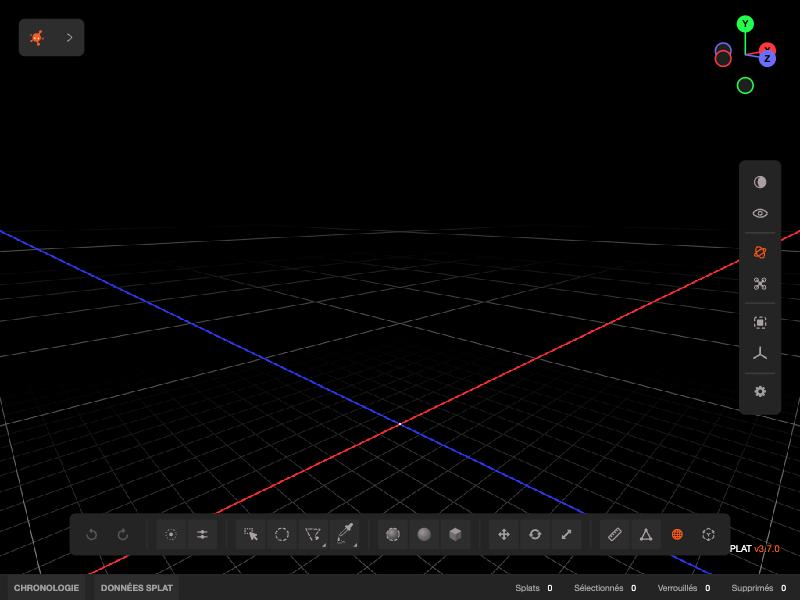
We did not run the WebMCP tools end-to-end for this piece — we loaded the live v3.7.0 editor (that is the screenshot above, version confirmed) and verified every claim here against the GitHub release notes and the PlayCanvas README, not an agent session. So read the agent workflow as “what the tools are built to do,” not “what we watched happen.”
That caveat aside, this is the right shape. The splat world has spent a year wiring MCP into desktop tools; SuperSplat is the first free, open editor to put the same idea inside the browser tab, with shared undo and a locked-down tool surface instead of a “run any code” firehose. The narrowness is the feature. If you clean up captures, bookmark this and keep an eye on WebMCP browser support — the moment Chrome’s origin trial is something you can rely on, “describe the cleanup, let the agent do the selecting” stops being a toy. Where it will break for now: browser support is thin and experimental, and the tools stop short of publishing and timeline authoring. Early, but pointed in a direction we like.
How this article was made: researched and drafted with AI assistance, then fact-checked against the original sources and reviewed by Issa before publication.