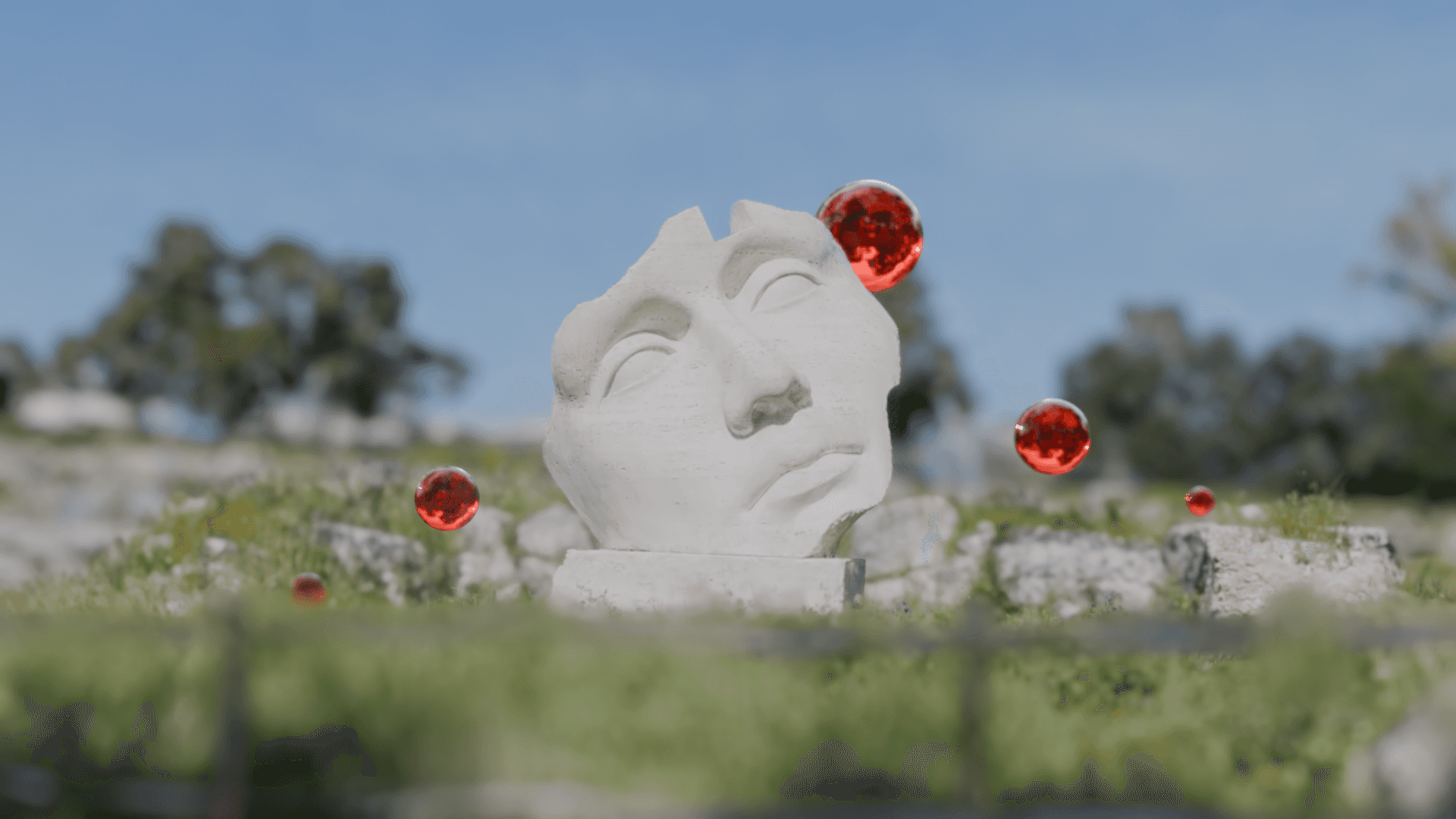
For two years, importing a Gaussian Splat into Blender meant the same dance: install KIRI’s 3DGS Render, fight a custom rasterizer, pray the output matched what your viewer showed. BlendSplat, dropped this week by German developer SoerenSc3d, just made the dance optional. It’s native. It’s node-based. It’s free.
The Story
BlendSplat isn’t another import plugin. It’s a full Geometry Nodes asset library that treats splats like first-class Blender citizens — point clouds you can transform, instance, scatter, and procedurally edit using the same toolset you’d use on a mesh. The renderer runs on EEVEE through a custom shader graph, which means real-time viewport feedback at native Blender frame rates and zero external dependencies.
The killer feature is what SoerenSc calls normal-based relighting. Vanilla 3DGS is a baked medium — the splats carry frozen lighting from capture time and ignore your scene’s lights. BlendSplat extracts approximate normals from each splat’s covariance and pipes them into Blender’s lighting model, so point lights, area lights, and HDRIs actually affect the splat. Combine that with depth of field and motion blur lifted straight from your camera settings, and you’ve got a splat that behaves like a 3D object instead of a glorified photograph.
Why You Should Care
The Blender splat ecosystem in 2026 is crowded — KIRI’s 3DGS Render, SplatForge, SkySplat, the official Blender Splats extension. Most of them are importers with a viewer bolted on. They give you a splat in your scene; they don’t give you a splat in your workflow. You can’t drop a sun lamp on a captured interior and watch it relight. You can’t scatter a splatted plant across a procedural terrain. You can’t motion-blur a splatted car the way you’d motion-blur a mesh.
BlendSplat is the first toolkit that makes splats feel like geometry instead of media. For 3D artists building hybrid scenes — captured environment + CG props + traditional lighting — that’s a fundamental shift. For architecture and product visualization, it means the photoreal richness of a Luma capture without the lighting straitjacket. For VFX, it means splats finally play with your render pipeline instead of fighting it.
The Honest Caveats
- EEVEE only, mostly. Cycles support is limited. If you’re a path-tracing purist, this isn’t your tool yet — go look at OctaneRender 2026 or Power Foam.
- Scene shadows don’t cast onto splats. Lights affect splats; meshes occluding those lights don’t shadow them. Workable, but worth knowing before you frame the shot.
- Dithered alpha blending introduces noise at low sample counts. Crank the samples or live with the grain.
- Spherical harmonics capped at degree 2, so you lose some of the view-dependent specular wizardry that high-degree splats encode.
None of these are dealbreakers. They’re the price of doing real-time Geometry Nodes splatting in EEVEE in 2026. The fact that we’re complaining about SH degrees instead of “how do I get this PLY to even open” tells you how far the Blender splat story has come.
Try It / Follow Them
- Download: soerensc.gumroad.com/l/BlendSplat — free, name-your-price.
- Source: hosted on Codeberg (open source, refreshing change from yet-another-GitHub repo).
- Community thread: BlendSplat on Blender Artists — where SoerenSc is fielding feedback and feature requests.
- Original write-up: Radiance Fields coverage.
IK3D Lab Take
Two years ago, splats were a research curiosity. One year ago, they were a niche import format. Two months ago, OpenUSD and glTF made them official infrastructure. This month, NVIDIA shipped multi-instance vkSplatting, OctaneRender turned splats into first-class path-tracer citizens, and now a solo developer just dropped the cleanest Blender integration we’ve seen — for free, as Geometry Nodes.
The pattern is unmistakable: splats have stopped being a separate medium and are becoming a geometry primitive. BlendSplat is what that transition looks like in your DCC of choice. If you do anything with captured environments, hybrid CG, or photoreal viz, install this tonight. The render farm you don’t have to spin up will thank you.
And shout out to SoerenSc3d — solo devs writing Geometry Nodes shaders that out-elegance commercial plugins is exactly the kind of thing this Lab exists to celebrate.