Two months ago the Blender Foundation drew a line in the sand: no generative AI in the core. This week Blender shipped an official MCP server — and NVIDIA stood on the SIGGRAPH keynote stage and read out the list of every other DCC that just did the same thing. Blender, Houdini 22, Unreal Engine, Adobe, Affinity, Boris FX Silhouette, Foundry. The industry didn’t pick a model. It picked a port.
The Story
We covered the third-party Claude connectors for Blender, SketchUp and Fusion back in May. Those were community bridges — brilliant, unofficial, occasionally terrifying. What landed now is different: blender.org itself publishes an MCP server, under Blender Lab, maintained by the Blender developers.
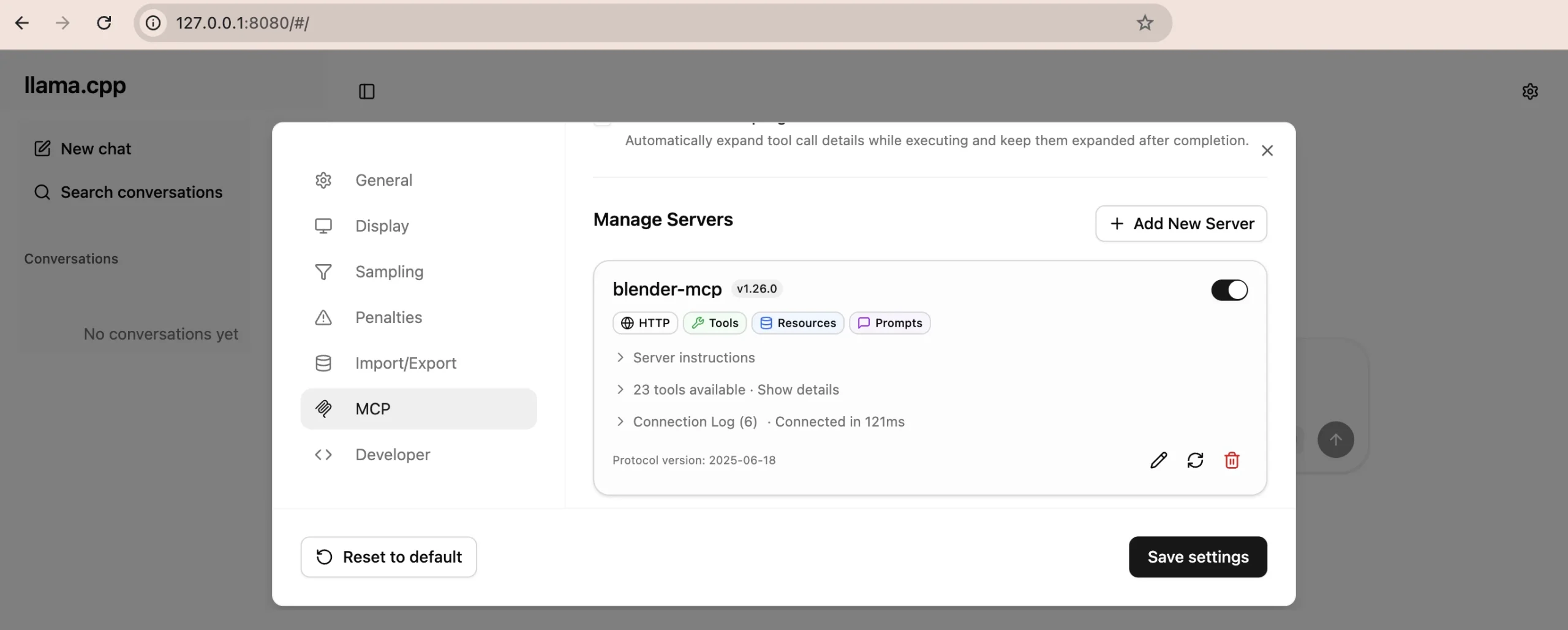
The architecture is deliberately boring, which is exactly why it works. Two pieces talking over a TCP socket: an add-on that runs inside Blender and executes requests, and a standalone MCP server process launched by whatever LLM client you prefer. Blender’s own docs demo it with llama.cpp — fully local, no cloud, no account. It requires Blender 5.1 or newer, and Blender is blunt that it ships zero built-in LLM connectivity: you install three external pieces yourself, on purpose.
Now the part that made us sit up. Blender’s flagship example isn’t “generate me a dragon.” It’s scene forensics. Point it at the Classroom benchmark file — a genuine production-grade artist scene — and ask: “Analyze the scene and list the outliers: objects with highest polygon count but smallest size from the camera point of view.”
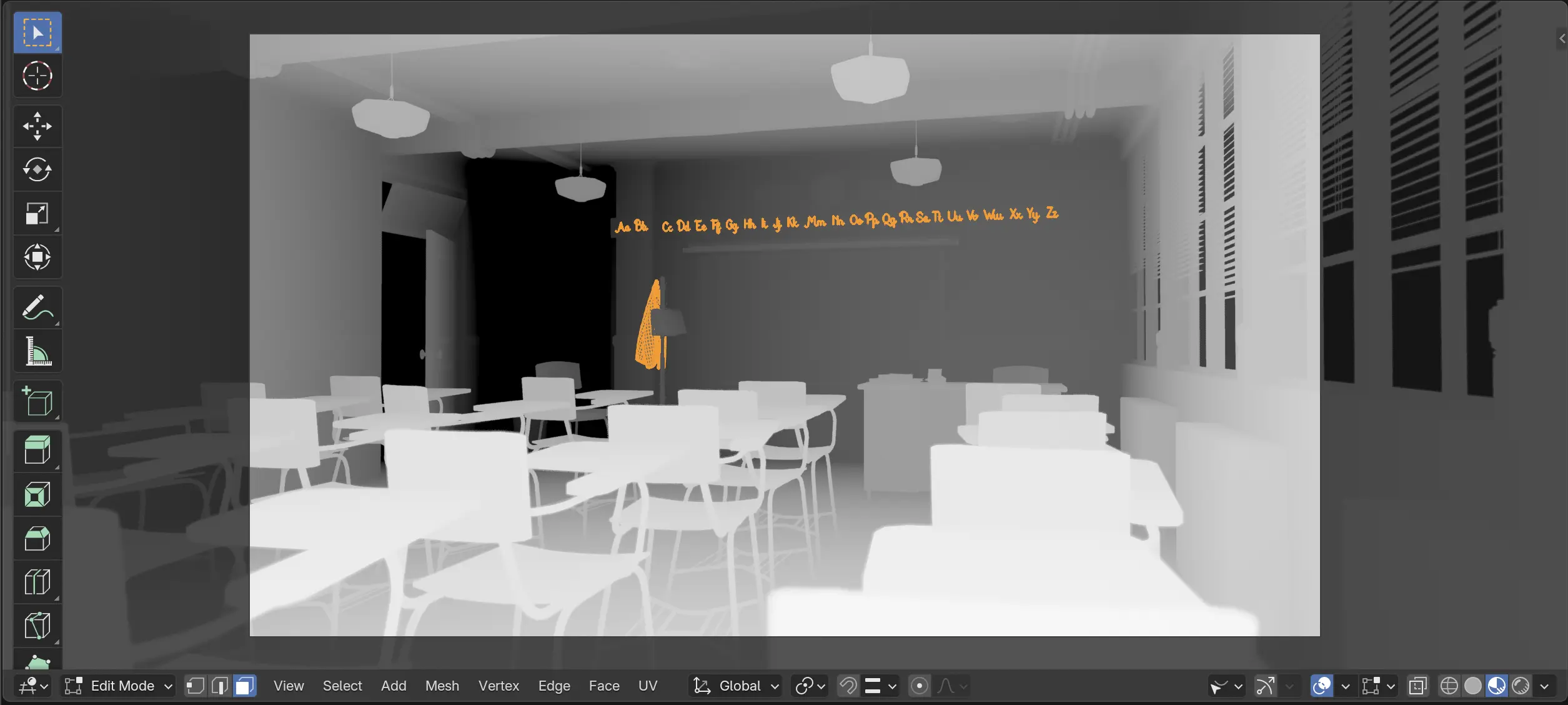
alphabet and coat 1. Source: Blender LabThe agent plots polycount against on-screen area and two objects jump off the chart. alphabet: 20k polygons, flat, parked at the back of the room — replaceable by a texture with essentially no visual cost. coat 1: 37k polygons from a Subsurf modifier, far enough from camera that nobody would ever notice a lower subdivision level.
And here’s the honest bit Blender publishes right alongside it: the LLM’s first pass only counted modifiers affecting the viewport. It missed that coat 1 also carries a Solidify modifier that doubles its render-time poly count — making it an even worse offender than reported. The tool found the right suspects and got the numbers partly wrong. That’s the actual state of agentic 3D in July 2026, documented by the vendor instead of buried.
Why You Should Care
Look at what the official use cases actually are — none of them generate a single vertex:
- Data-block hygiene — “fix all the typos in my data-block names” turns
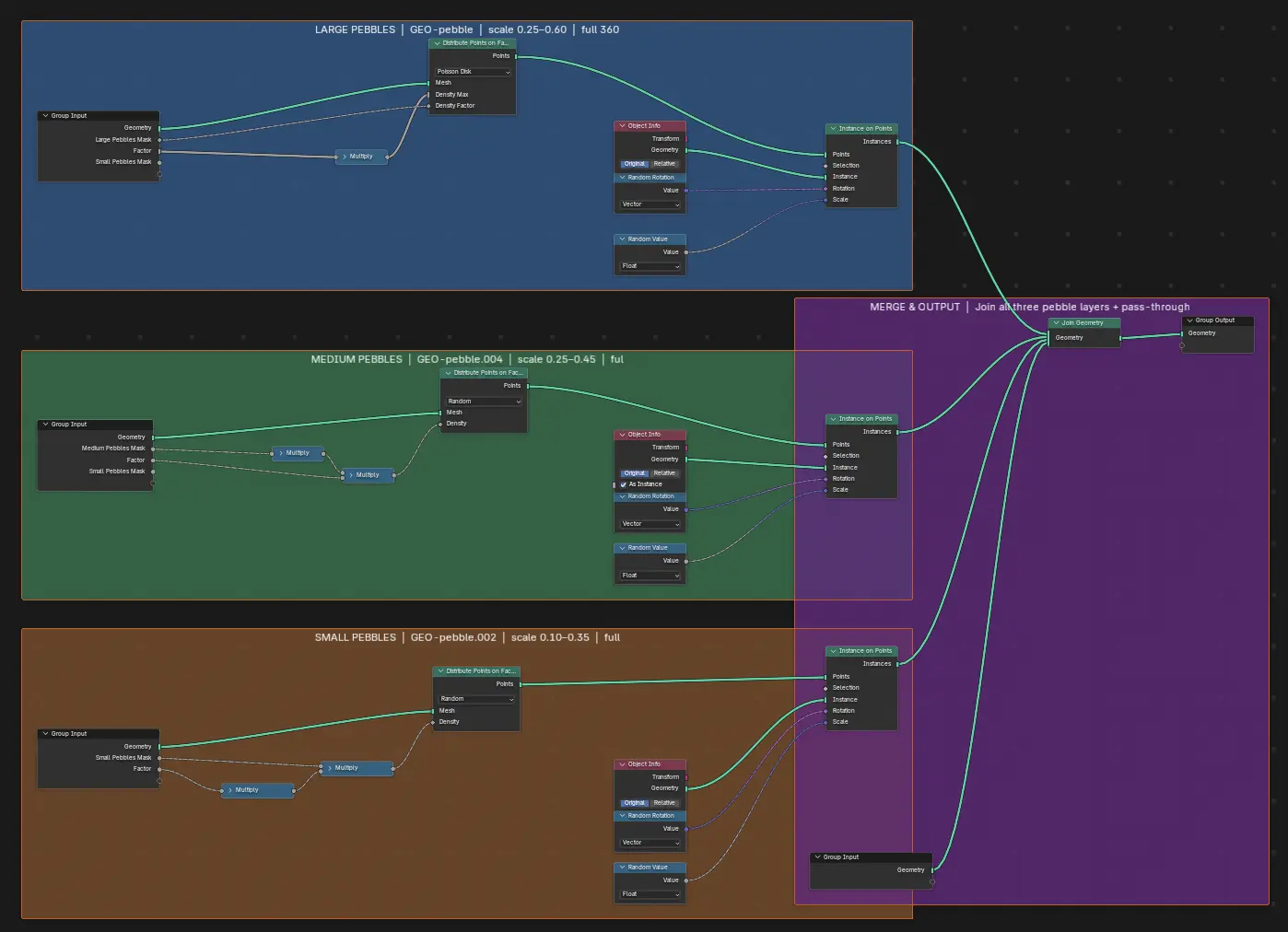
GRP-rocksintoGRP-pebble,LGT-LightsintoLGT-lights. Or go further: let it propose descriptive names across the whole file (Area.001→LGT-sun-fill). - Relationship queries in plain English — “which objects use the material pebbles?” Seven objects, listed. No Outliner archaeology.
- Geometry Nodes self-documentation — ask it to explain your node setup, then add inline frame elements documenting it and drop a Text data-block with the write-up. Your six-month-old node tree explains itself back to you.
- Scene debugging — highest poly-count object ignoring unlinked data, meshes with bad normals, non-uniform transforms, “why isn’t my armature deforming this mesh.”
This is the philosophically consistent position we flagged in May. Blender said no to gen-AI in the core — no diffusion model bolted onto the render button. But an agent that reads your scene, reasons about it, and hands you back an optimization list? That’s not generating art. That’s a technical director who never sleeps and has read the entire Python API.
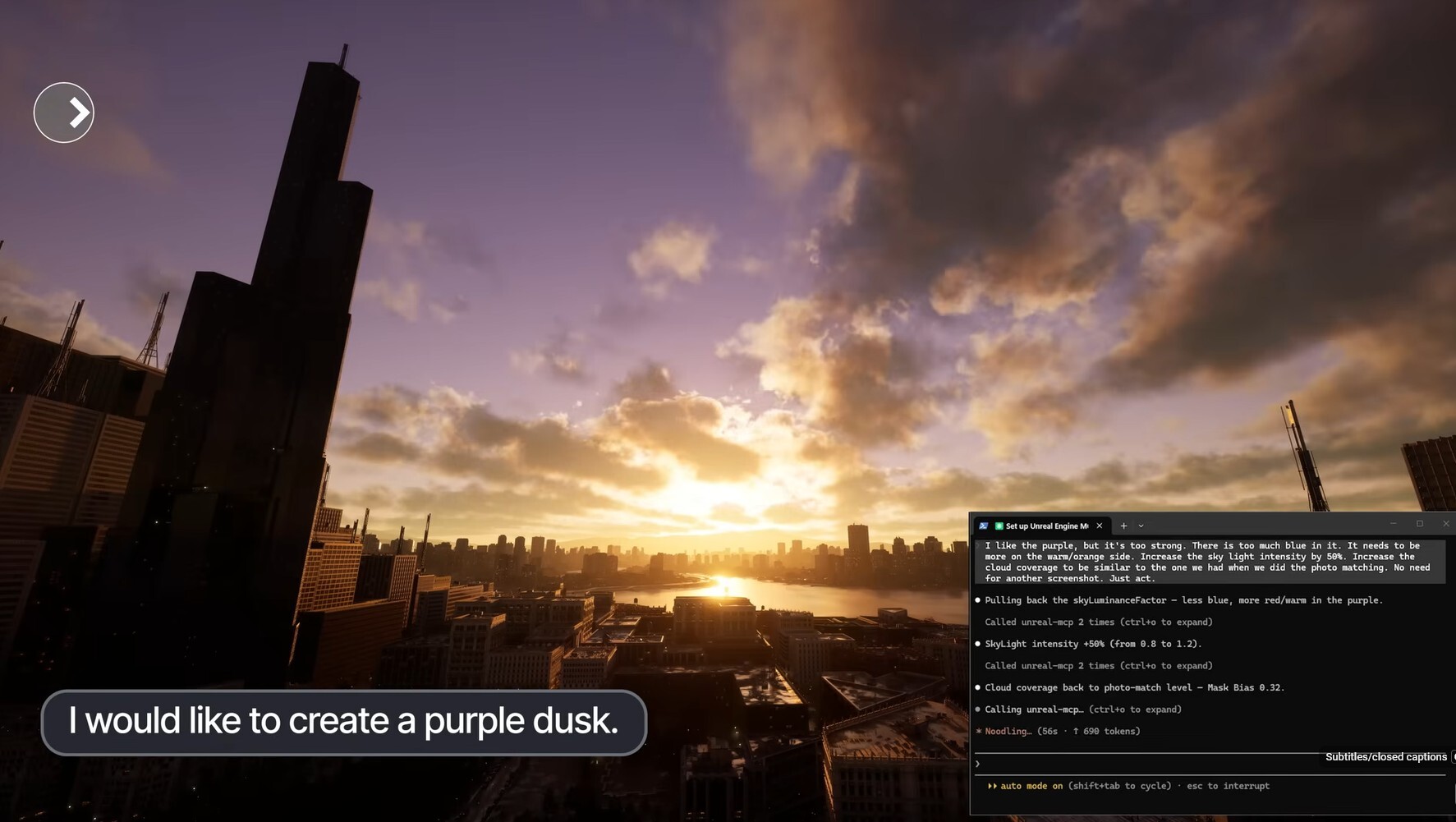
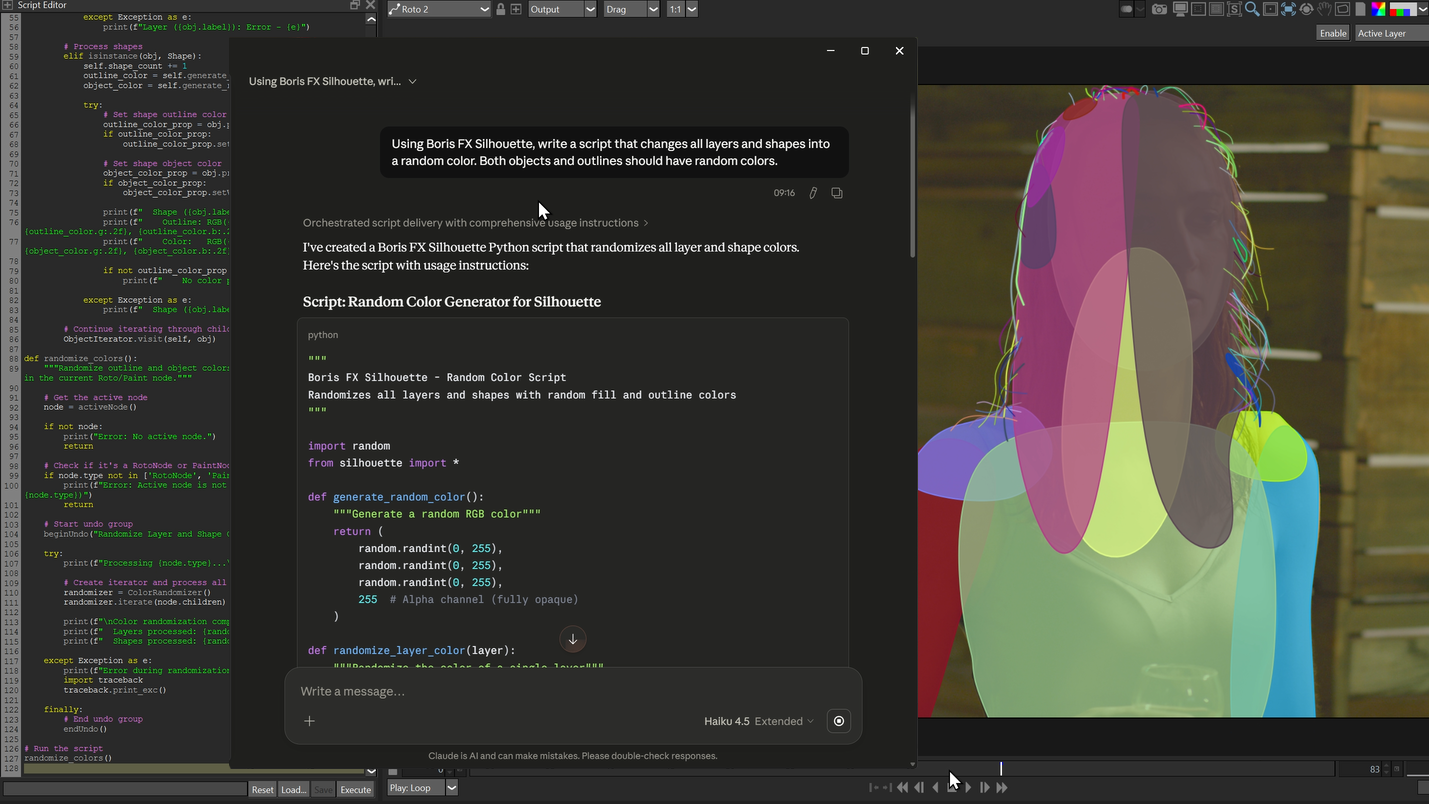
NVIDIA’s keynote framing was the same, phrased for pipelines: agents that inspect, propose and automate while humans retain creative veto. Silhouette’s MCP server lets an assistant inspect projects, build node trees, edit shapes and keyframes, render frames. Houdini 22 exposes MCP through its new APEX Script workflow so an agent can write and refine procedural rigging code. Unreal opened the editor to MCP clients that reason over scenes and project state. Affinity by Canva shipped an AI Connector for exactly the unglamorous stuff — renaming layers and artboards, reformatting assets per channel.
The pattern is unmistakable. Every one of these is plumbing, not painting. The industry has decided the first real job for agents in a DCC is the 40% of your week that isn’t creative.
Try It / Follow Them
- Blender MCP Server — blender.org/lab/mcp-server. Drag & drop the add-on into Blender twice (first adds the Blender Lab repository, second installs the add-on — that’s not a bug, it’s the update channel).
- Source & architecture — projects.blender.org/lab/blender_mcp
- Client — an
.mcpbbundle for modern clients, or build from source for llama.cpp. Requires Blender 5.1+. - NVIDIA’s SIGGRAPH 2026 rundown — blogs.nvidia.com
Read the security warning before you install anything. Blender’s own words: the MCP server executes LLM-generated code in Blender with no guards against your data being deleted or shipped to a remote location. Their recommendation is a VM or a machine with nothing sensitive on it. Take that seriously — this is arbitrary code execution wearing a friendly chat interface.
IK3D Lab Take
The headline everyone will write is “Blender adds AI.” That’s wrong, and the wrongness is the interesting part.
Blender didn’t add AI. It added a door, then made you install the lock, the key and the visitor yourself, and taped a warning to it. Nothing ships enabled. Nothing phones home. Bring your own model — including one running entirely on your own GPU via llama.cpp. For a foundation that just publicly refused gen-AI in the core, this is a remarkably coherent answer to “so what is acceptable?”: the agent may read and reason about your file, and it may not hallucinate your art.
The bigger signal is the standardization. A year ago every AI-in-DCC integration was a bespoke add-on with a bespoke API and a bespoke way of breaking. As of this week, Blender, Houdini, Unreal, Adobe, Foundry and Boris FX all speak the same protocol. That means the workflow you build against one is conceptually portable to the rest — and the moment someone chains them, you get an agent that reads a Silhouette node tree, queries the Blender scene it came from, and rigs the result in Houdini without a human writing glue code. Nobody demoed that on stage. Everybody just shipped the pieces.
Honest caveat, though: the flagship demo got its own numbers wrong on the first pass. Treat this as a very fast, very well-read junior TD — one whose findings you verify before you act on them. That’s still enormously useful. It’s just not magic, and Blender deserves real credit for documenting the miss instead of cropping it out.
Install it on a scratch machine. Point it at your ugliest legacy .blend — the one with 400 objects named Cube.247. Then tell us it isn’t worth the afternoon.