Five days ago, ComfyUI dropped what might be the most important update in its history — and it has nothing to do with a new model or a faster sampler. App Mode, App Builder, and ComfyHub just turned every ComfyUI workflow into a one-click app that anyone can use. No nodes. No spaghetti. Just a clean interface.
If you’ve ever tried to share a ComfyUI workflow with a client, a teammate, or a friend who doesn’t live in node graphs, you know the pain. The learning curve is real. That wall just came down.
What Just Happened
On March 10, 2026, ComfyUI officially launched three interconnected features that fundamentally change how AI creative workflows are built, shared, and used:
App Mode — The Node Graph Vanishes
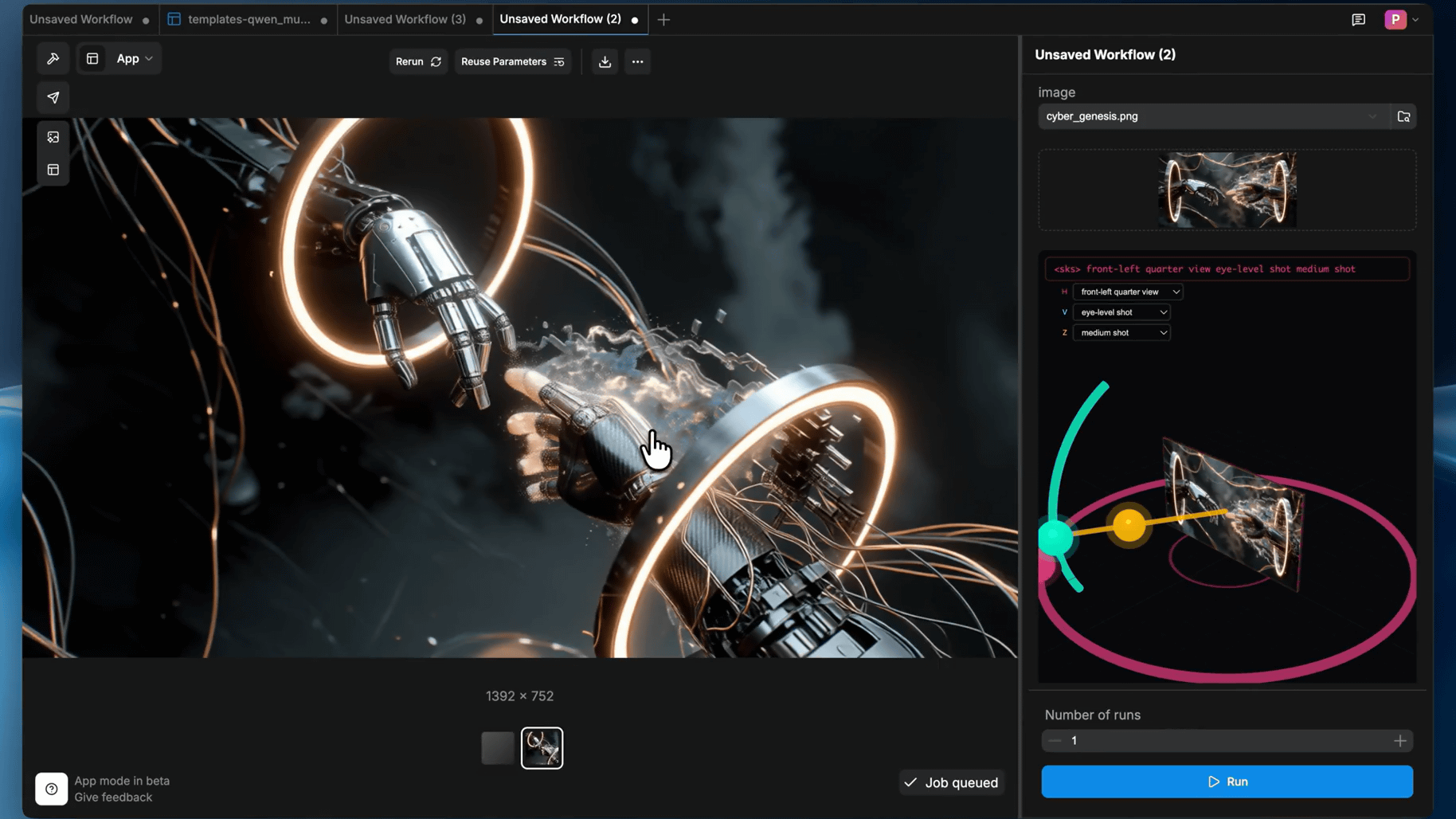
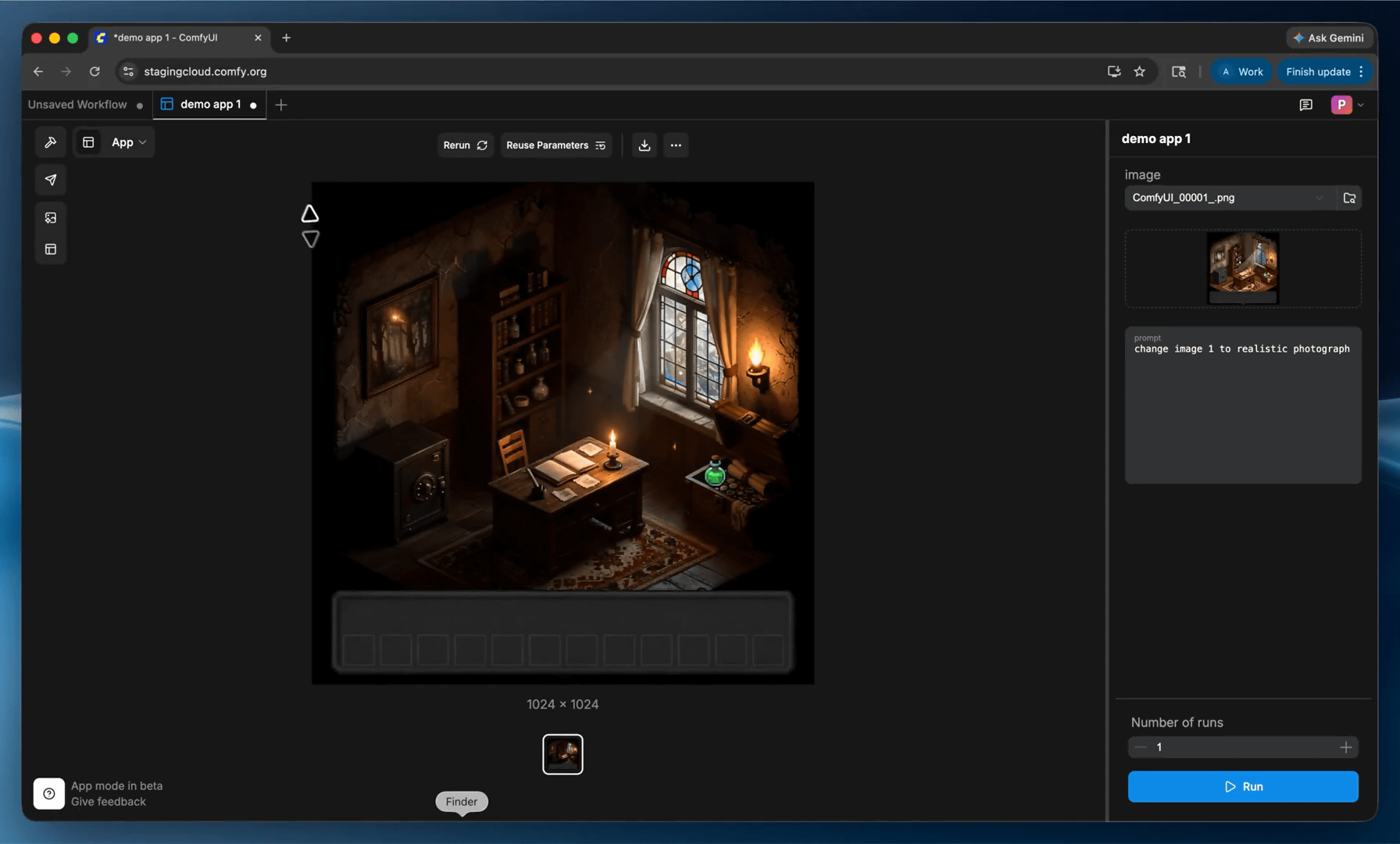
App Mode transforms any ComfyUI workflow into a purpose-built user interface with a single click. When activated, the entire node graph disappears. What’s left is a clean panel showing only the inputs and outputs that matter to the end user — a prompt field, a style selector, a generate button. The workflow engine still runs underneath, unchanged. What changes is the surface.
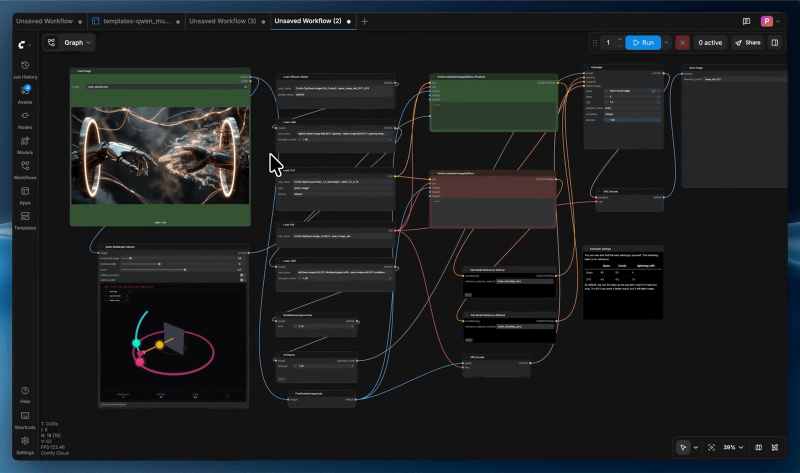
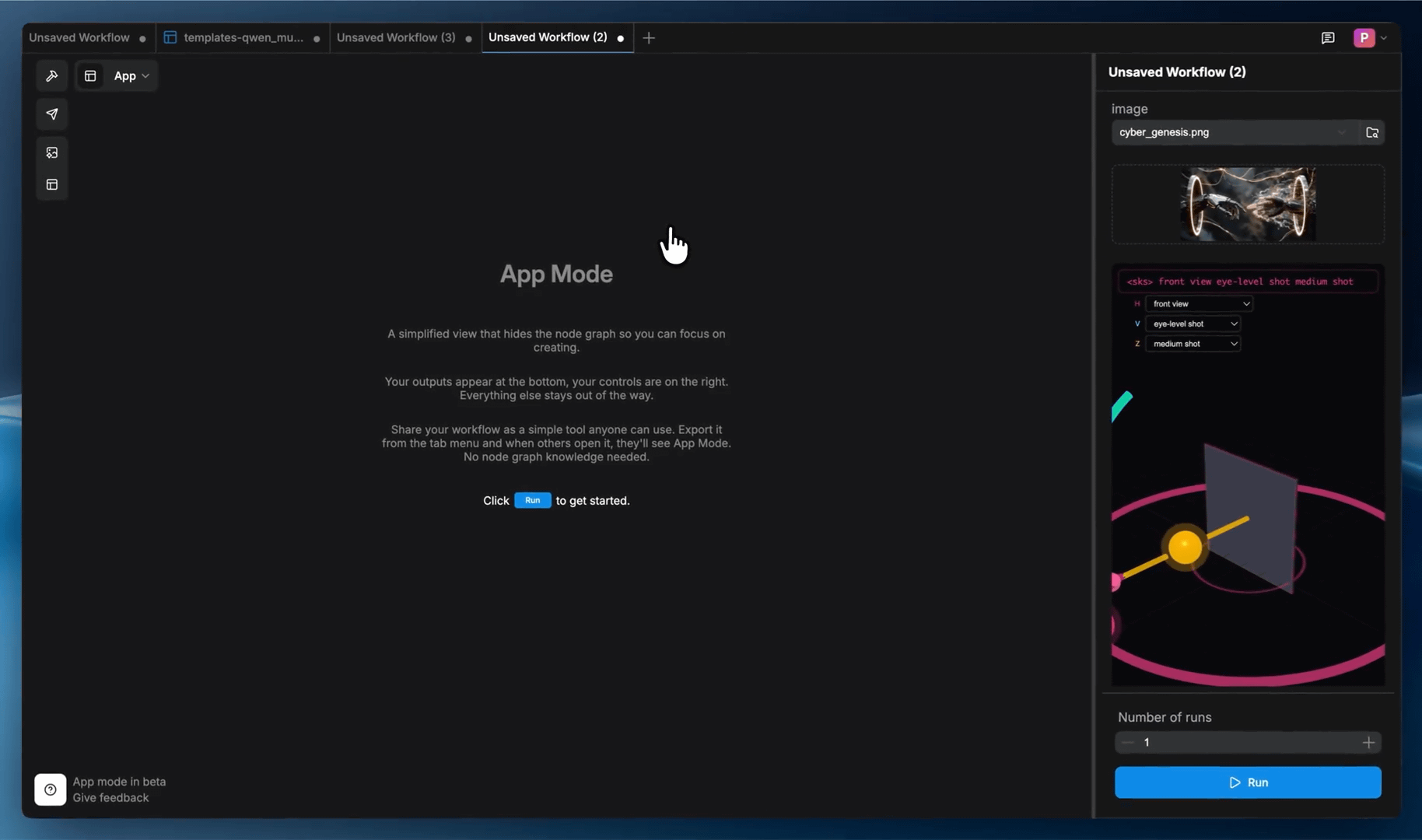
App Builder — You Design the Experience
App Builder is the configuration layer. As the workflow author, you decide which node inputs become app inputs and which outputs become app outputs. You can rename, reorder, and group controls. A text-to-image workflow might have dozens of settings — sampler, steps, CFG, LoRA weights — but maybe only three need to be exposed. Everything else stays locked in the graph, invisible to the end user.
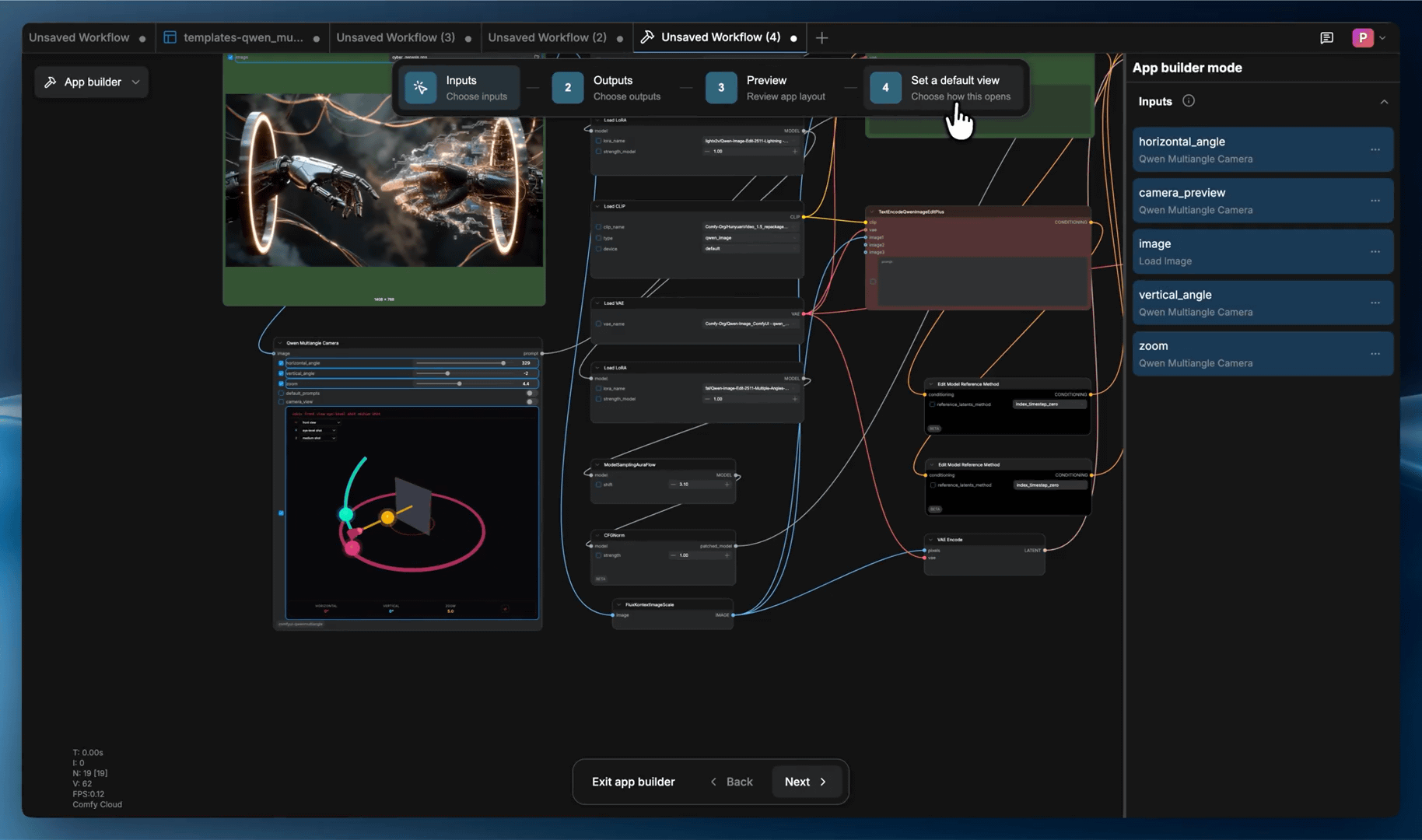
ComfyHub — An App Store for AI Workflows
ComfyHub is the marketplace. Think of it as an app store for AI workflows. Where the Comfy Node Registry is for developers publishing custom nodes, ComfyHub is for creators publishing finished apps. Browse, click, run. A “Photo to Anime” converter app reportedly got several hundred installs in its first few days on the platform.
The NVIDIA Factor
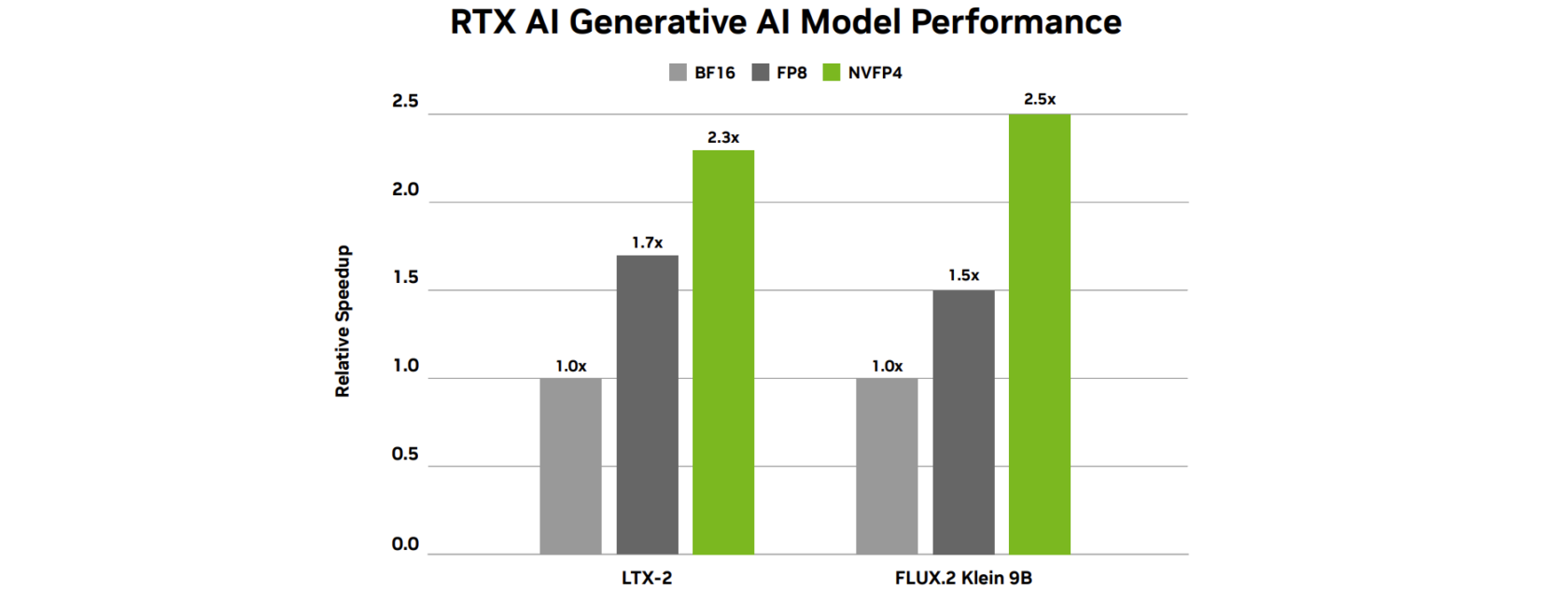
This announcement didn’t happen in a vacuum. At GDC 2026, NVIDIA and ComfyUI jointly announced a suite of updates for local AI video generation on RTX hardware. The highlights: RTX Video Super Resolution as a real-time 4K upscaler inside ComfyUI, NVFP4 and FP8 model variants for FLUX.2 Klein, and upcoming NVFP4 support for LTX-2.3 — delivering up to 2.5x faster generation and 60% lower VRAM usage on GeForce RTX 50 Series GPUs.
App Mode is optimized for this hardware stack. Comfy Local now runs beautifully on the RTX 5090 and AMD Radeon RX 9070 XT. The message is clear: professional-grade AI generation, running locally, wrapped in interfaces that anyone can use.
Sharing Without Friction
The killer feature might be shareable URLs. Every app generates a link that encodes the complete configuration — workflow setup, interface layout, node bindings. Recipients can run the app instantly on Comfy Cloud without installing anything, or open it locally if they prefer. The interface is even optimized for mobile and narrow screens with a tab-based layout.
This solves a real problem. Right now, sharing a ComfyUI workflow means exporting JSON, explaining dependencies, hoping the other person has the right models and nodes installed. App URLs skip all of that.
Why You Should Care
ComfyUI has been the power tool of the AI creative world — the tool that serious practitioners use when they need full control over image, video, and 3D generation pipelines. But power tools have a cost: complexity. App Mode doesn’t dumb anything down. It adds a presentation layer on top of the full engine, letting creators serve two audiences at once — themselves (in Node View) and everyone else (in App Mode).
This is how creative AI tools go mainstream. Not by simplifying the engine, but by giving the engine a human face. Studios can now build internal tools for their teams. Freelancers can deliver custom generators to clients. Educators can create guided experiences for students. The node graph becomes the backend; the app becomes the product.
Try It Now
- ComfyUI Download: comfy.org/download
- App Mode Documentation: docs.comfy.org/interface/app-mode
- ComfyHub (browse apps): comfy.org/workflows
- Official Announcement: blog.comfy.org
- NVIDIA x ComfyUI at GDC: NVIDIA Blog
IK3D Lab Take
This is the update ComfyUI needed to break out of the enthusiast bubble. The node graph is brilliant but intimidating — and brilliant tools that nobody uses don’t change anything. App Mode turns ComfyUI into a platform, not just a tool. The NVIDIA partnership at GDC signals serious institutional backing. The catch? ComfyHub is still in preview with curated access, so the app ecosystem needs time to grow. But the foundation is solid. If you’re building AI-powered creative workflows in 2026, ComfyUI just became significantly harder to ignore.