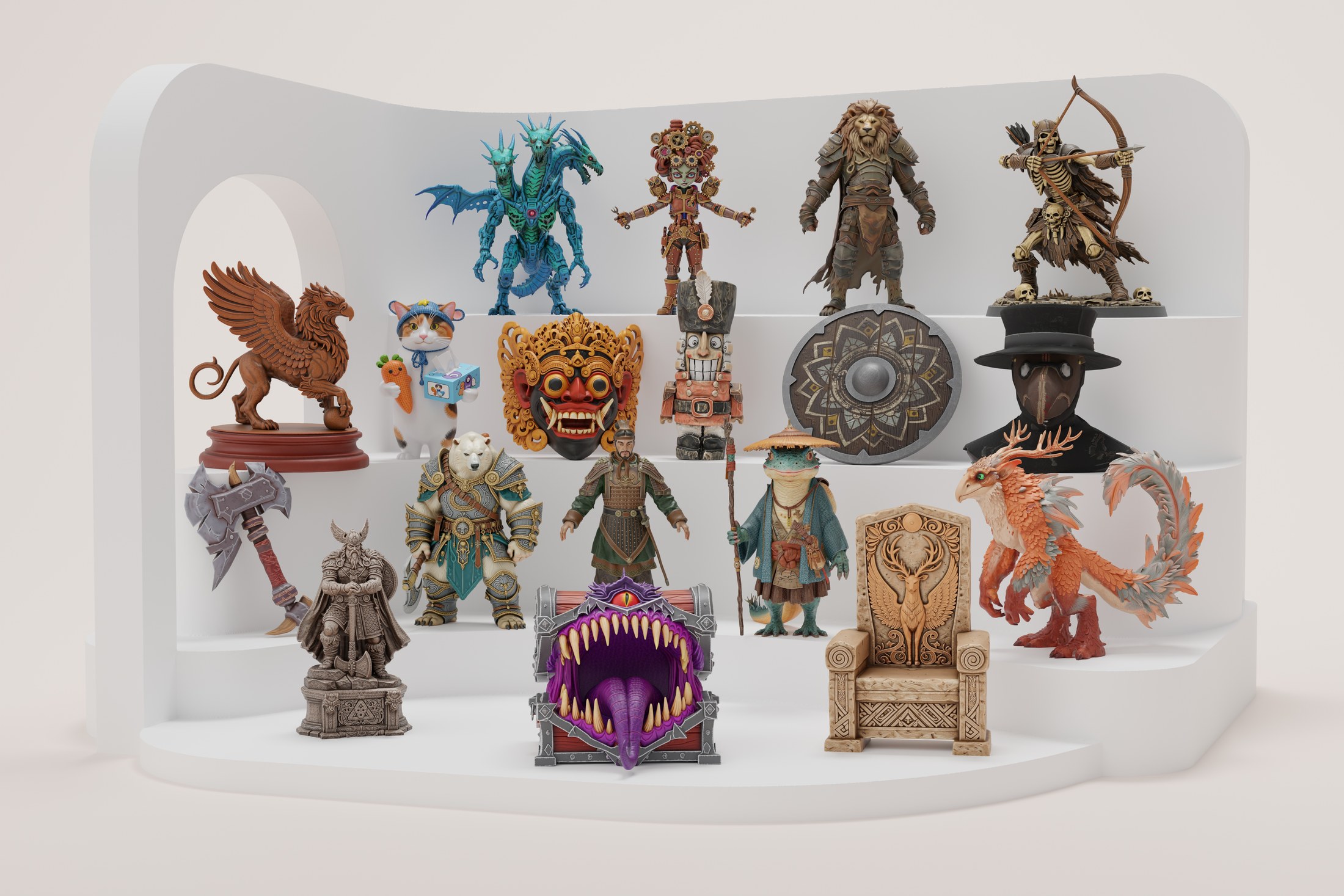
Texturing a 3D model is the slow, unglamorous part. UltraTex paints a full PBR texture onto any untextured mesh from a single reference image — at 2048×2048, no text prompt. And as of November 10, it runs natively inside ComfyUI 0.45.0, no custom nodes.
The Story
UltraTex comes from an academic team led by Yibo Zhang (Jilin University / Shanghai Innovation Institute), with co-authors at HKU, Tongji, Fudan and VAST. It is a SIGGRAPH Asia 2026 paper (arXiv 2609.23169), and the code and weights have been public since early October.
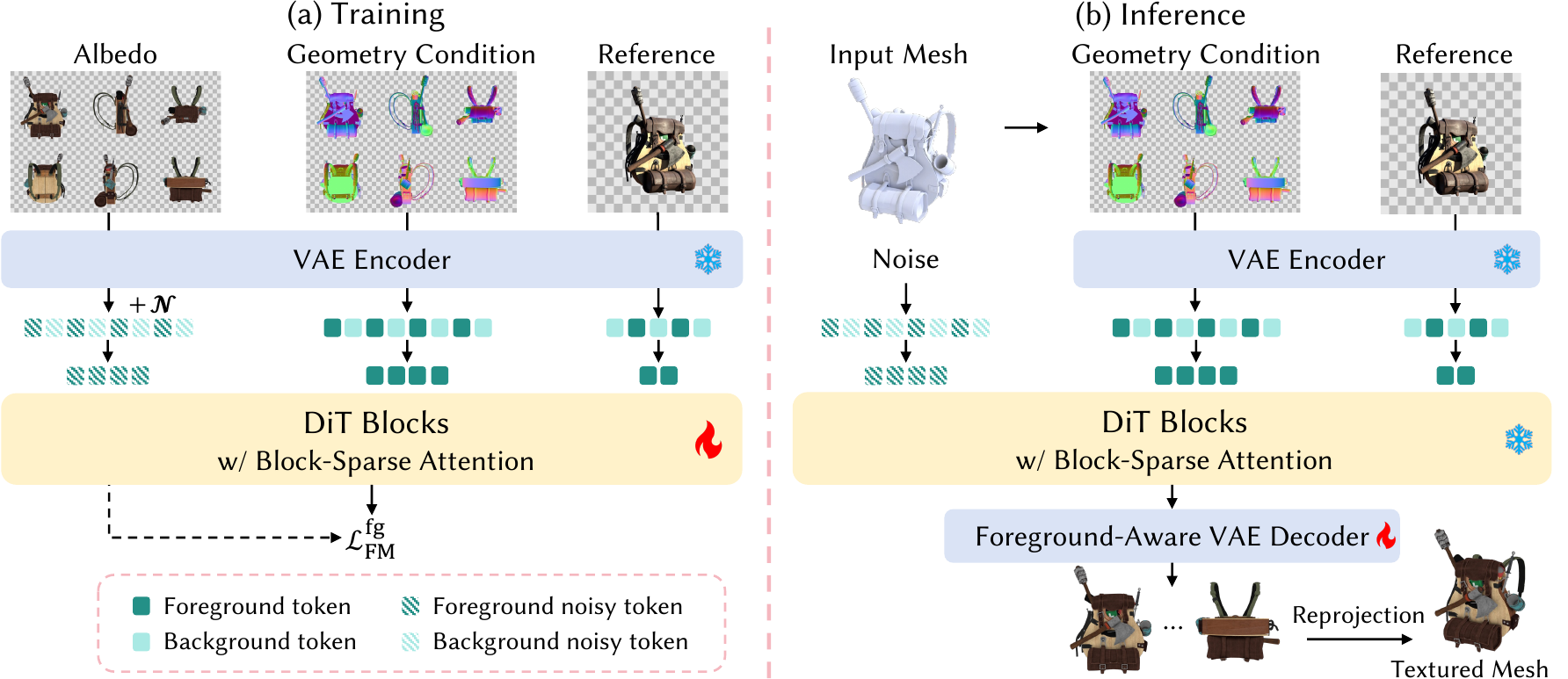
The problem it solves is resolution. Multi-view diffusion texturing models were stuck at 512 or 768 pixels. Push the same idea to 2K and the model has to process a multi-view sequence of over 212,000 tokens — too much memory, too slow. High-frequency detail from your reference image just gets lost.
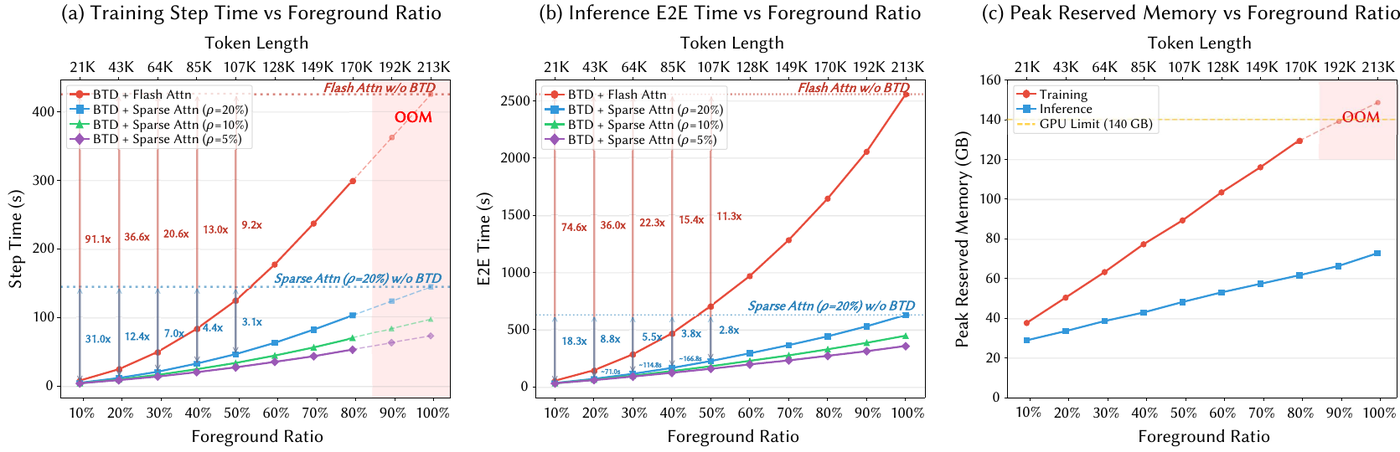
UltraTex cuts that cost with three tricks. Background Token Dropping throws away background tokens before the heavy transformer runs, but keeps the original position indices so the geometry survives. Block-Sparse Attention only computes attention over the foreground that is left. And Foreground-Aware VAE Decoding fixes the artifacts that would otherwise appear when you decode only the object. Together they report a 20.6× to 91.1× training speedup and a 22.3× to 74.6× inference speedup versus a dense 2K baseline.
Why You Should Care
The real news for makers is not the paper — it is the plumbing. On November 9, ComfyUI collaborator kijai merged PR #17636, which adds UltraTex as native core nodes: UltraTexConditioning, BakeTextureFromViews and a camera-orbit helper. It shipped the next day in ComfyUI v0.45.0.
So the loop is now: drop in an untextured mesh, give it one reference image, and bake out a UV texture with an albedo map and a metallic/roughness map. That is a real PBR output you can take straight into Blender, Unreal or Unity. The texturing model under the hood is a FLUX.2 Klein 9B LoRA — the same open Klein family we covered last week — so it slots into the stock ComfyUI loaders.
And it fits on normal hardware. A community installer pack reports the fp8 models at around 9 GB, tested on 16 GB cards, with a GGUF low-VRAM path aimed at 6–8 GB GPUs. This is not a cloud-only, enterprise tool.
Try It / Follow Them
Update ComfyUI to 0.45.0 or later, then look for the UltraTex nodes and the official workflow. The model files live on ModelScope; the research code is on GitHub (yiboz2001/UltraTex), and the project page has the demo video. Note: the UltraTex code is MIT, but the FLUX base model it rides on carries a non-commercial license, so read that before you use it on paid work.
IK3D Lab Take
This is the piece that was missing. We have watched AI nail the shape half of 3D for a year — TRELLIS.2, Meshy, Tripo all hand you clean geometry. Texturing stayed manual, or it stayed low-res. UltraTex going native in ComfyUI closes that gap inside the graph most of us already use, and it does PBR, not just a flat diffuse map.
Who should grab it: anyone generating meshes and dreading the UV-paint step, especially for stylized or hero props where you have a clean concept image to drive the look. What it replaces: a first pass in Substance, or a paid cloud texturing service, for assets you can describe with one front-facing picture.
Where it will break: the non-commercial FLUX license is a hard wall for studio work — this is the honest catch. The empty-prompt design means you steer by image, not text, so a bad reference gives a bad texture and you cannot talk your way out of it. The easy install path is Windows plus NVIDIA. Full disclosure: the Lab has read the paper, the PR and the node docs, but has not yet run the full bake on our own mesh — the speedup and quality numbers here are the authors’, not ours. A hands-on test is next on the bench.
How this article was made: researched and drafted with AI assistance, then fact-checked against the original sources and reviewed by Issa before publication.