
A video model walked into an image lab and walked out 100 GB lighter. On November 3, 2026, Pruna AI released P-H3-Image: open weights, one checkpoint that both generates and edits, and a ComfyUI build that fits in 21 GB of VRAM. The twist is where it came from — a 143 GB video model named MiniMax H3.
The Story
Most open image models are born as image models. P-H3-Image is not. Pruna took MiniMax H3, a text-to-video model, and turned it into a dedicated still-image generator. The full model is big: a 33-billion-parameter transformer, plus a 4B text encoder, a VAE, and a prompt upsampler. In bf16 that is about 100 GB of files and roughly 83 to 101 GB of GPU memory at 8 megapixels. That is data-center territory.
Pruna’s whole business is squeezing models, and that is the real headline. Alongside the heavy bf16 release, they shipped a quantized ComfyUI build in int8 and 4-bit. The official ComfyUI tutorial puts the int8 files at about 35 GB on disk and 21 GB of VRAM at run time. That brings a 33B model onto a single high-end consumer card instead of a rack.
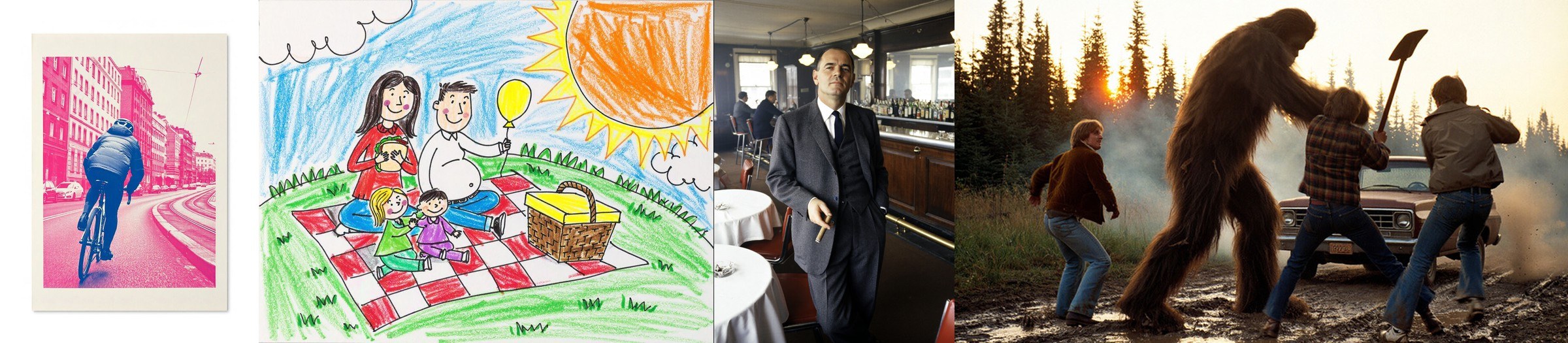
The model runs in 8 steps, with no classifier-free guidance and no negative prompt. Default output is 8 megapixels, up to 3872 x 2176 for a 16:9 frame. A built-in prompt upsampler, based on a Qwen3.5-9B model, rewrites your one-line request into a detailed prompt and shows you what it changed. Short prompts without the upsampler come out weak, so this step matters.
Why You Should Care
Two things make this interesting for creative technologists.
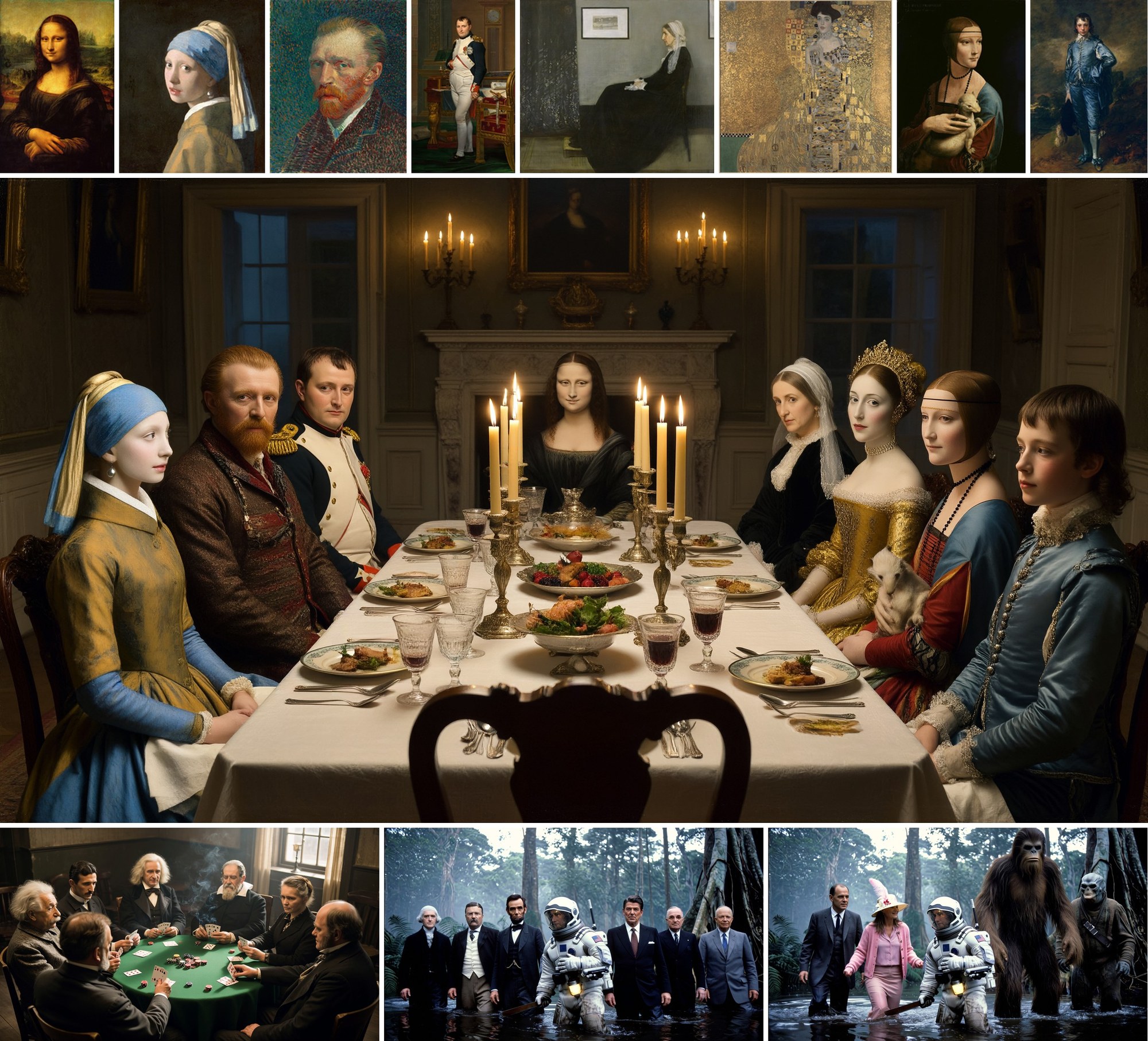
First, generate and edit live in the same checkpoint. You feed in up to 8 images. The first one is the image being edited; the rest are references the model can pull from, tagged “<Picture 2>”, “<Picture 3>” and so on in the prompt. No separate edit model, no second pipeline. For character work and reference-driven scenes, one model doing both is a real workflow saver.
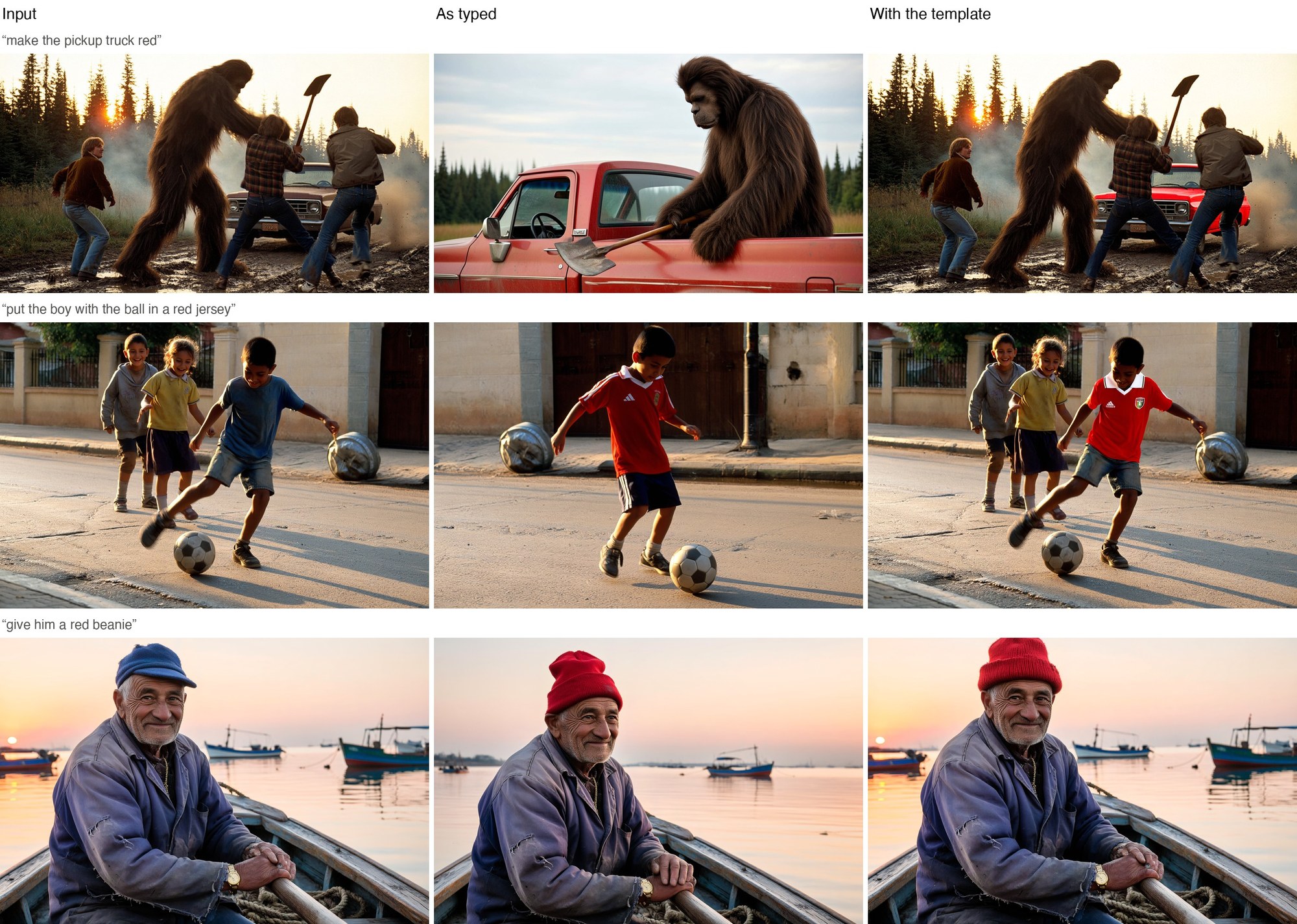
Second, it is native in ComfyUI 0.44.0. Both templates use a new PH3ImageConditioning node added in that version. If ComfyUI is your hub — and for most 3D and creative AI folks it is — this drops in without custom node hunting.
But be honest about the catch: the license is restrictive. The weights fall under the MiniMax H3 Community License, not a standard open-source license. It excludes the European Union, the United Kingdom, South Korea and the United States unless you hold a separate license from MiniMax. Anything you build must display “Powered by MiniMax H3.” For a lot of this blog’s readers — including France — that EU exclusion is a wall, not a footnote. The Qwen-based text encoder and upsampler are Apache 2.0, but the core model is not.
Try It / Follow Them
- Weights (Diffusers): huggingface.co/PrunaAI/P-H3-Image
- ComfyUI build (bf16 / int8 / 4-bit): huggingface.co/PrunaAI/P-H3-Image-Comfy
- Official ComfyUI tutorial: docs.comfy.org
- Pruna AI: pruna.ai
You need ComfyUI 0.44.0 or newer and a card that can hold 21 GB in the int8 build. Read the license before you ship anything commercial.
IK3D Lab Take
We did not run P-H3-Image ourselves for this piece; everything above is read off the official model card and the ComfyUI tutorial, not our own bench. So treat the quality claims as Pruna’s, not ours.
What excites us is not the pictures, it is the proof of method. Pruna is showing that a giant video backbone can be re-pointed at images and then compressed down to a card you can actually buy. That repurpose-then-shrink loop is probably where a lot of open models go next. The honest limits are real too: hands break, dense text turns to pseudo-text, and at 2 to 4 MP the artifacts show. This is a strong stylistic generator and a handy one-checkpoint editor, not a typography or hands machine.
The license is where it stings. If you are an EU artist, this is a “watch, don’t ship” release until MiniMax offers separate terms. Who should grab it today: creators outside the excluded regions who want generate-and-edit in one ComfyUI graph and have a 24 GB card. Who should wait: anyone building a commercial product in the EU, UK, US or Korea. The tech is a glimpse of the future; the paperwork is very much the present.
How this article was made: researched and drafted with AI assistance, then fact-checked against the original sources and reviewed by Issa before publication.


Reading about carving a 143 GB video model down to 21 GB VRAM feels like the same kind of satisfying reduction I get from Page Rage. I flew around as a jetpack pilot in that browser game, smashing websites with five unique weapons — pure physics-based chaos without any heavy downloads. Pruna’s efficiency work is impressive, but there’s something equally rewarding about blowing up fictional pages in your browser instead. jetpack shooting game